Earlier this week, I received a text message from my boss asking if I was available. I thought this was a bit odd, as all work communication usually goes through either email or Slack messager (where I had my status set to available). Nevertheless, I replied.
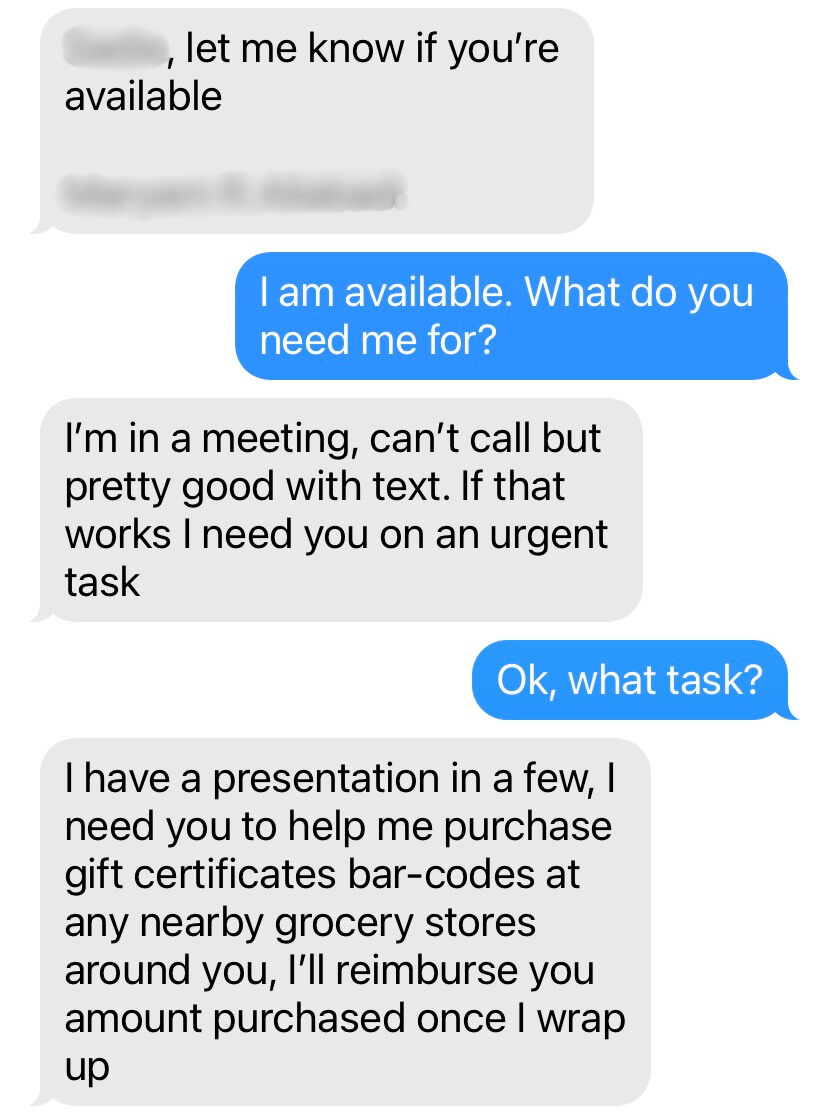
At this point, I was very doubtful that this was actually my boss. I had learned about gift card scams before, and the urgency of the request paired with the ask for cash in the form of gift cards was raising a lot of red flags. That being said, my boss had informed me that they would be in meetings all day, so the context did seem to match what they had told me earlier, so I wasn’t completely sure this wasn’t them yet. I contacted my boss through Slack to confirm that they were not the one texting me, and sent the scammer one last message.
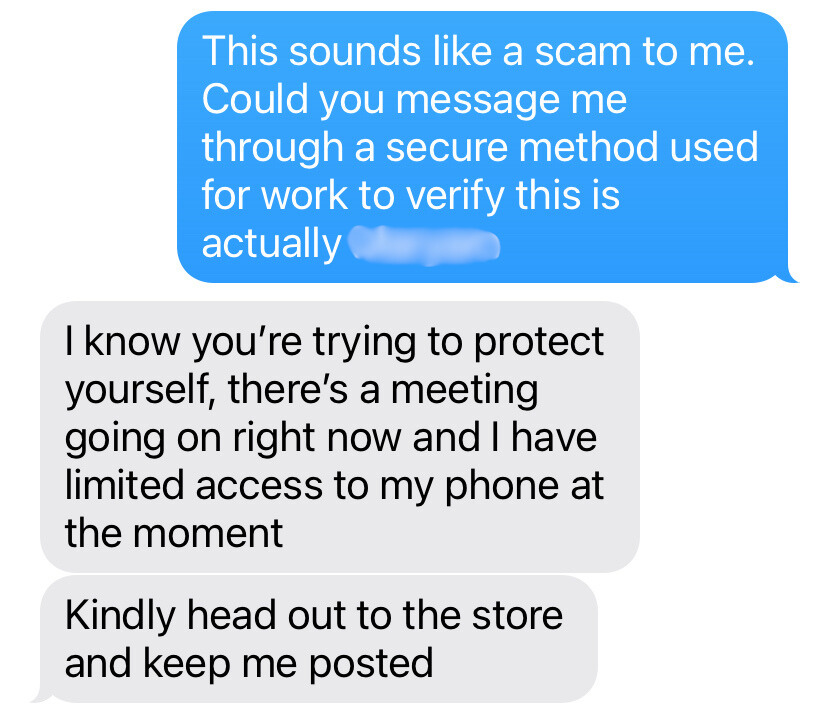
It was at this point that my suspicions were confirmed. This was definitely not my boss, but a scammer trying to trick me into sending them cash (in the form of a classic gift card scam). Later that day, my boss confirmed that they had never sent those messages. Luckily, I had received cybersecurity training and was able to identify the scam for what it was (Smishing), before taking any action, but this is not always the case.
You may be wondering what “Smishing” is. Smishing is a social engineering attack that uses fake mobile text messages to trick people into sharing sensitive information, sending money, or downloading malware. The term comes from a combination of “SMS” (short message service, aka: text messages) and “phishing”.

Did you notice how the scammer in the example above created a sense of urgency and familiarity to try to get me to send them money? They even signed off on the first message with my boss’s full name (which is blurred out here for privacy reasons).
This method of manipulating victims’ emotions and instincts to drive people to take actions is called social engineering, and it is the driving force of why smishing scams work. Oftentimes, smishing scams will claim to be from someone you know or trust, create a sense of fear or urgency, and use familiar details to seem credible.
You may have noticed this yourself, but smishing scams are on the rise. If you scroll through your text messages from unknown senders, I’m guessing you’ll find at least one smishing message.
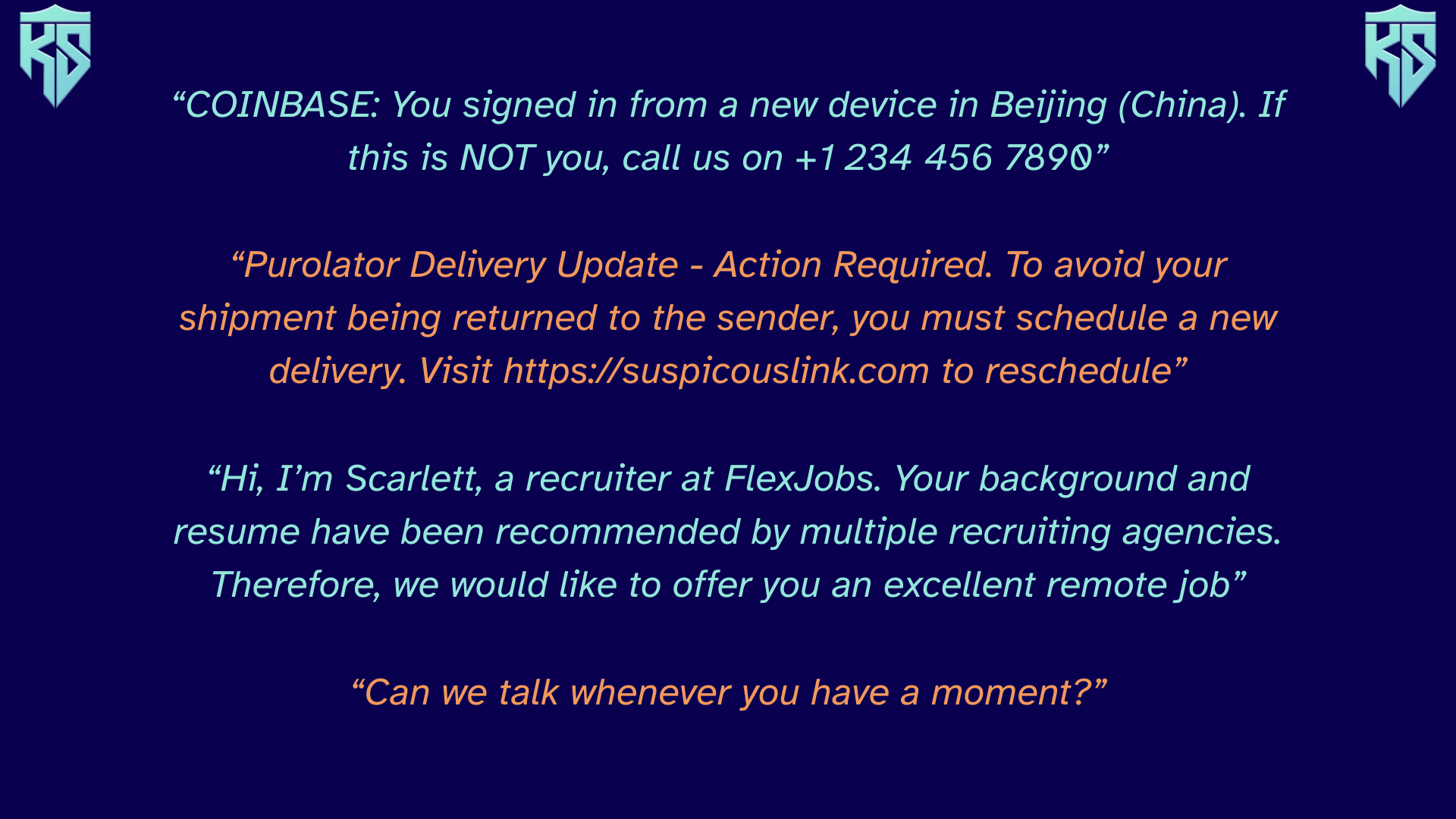
Do any of these examples look familiar? If your answer is yes, then you, much like me (who found all of these examples in my personal text message history), are a target of smishing scammers. Welcome to the club!
With new technologies and artificial intelligence tools, it is getting easier and easier for cyber criminals to create convincing messages and steal data from security breaches to find new victims and target them effectively at a large scale.
Scammers often choose smishing over other forms of phishing for multiple reasons, but the main one is that people are much more likely to click on links in text messages compared to other communication channels such as email. We are already used to receiving legitimate text messages from trusted organizations like our bank, phone provider, or favourite brands, so we are less likely to be suspicious of messages asking us to click on links or respond “Yes” or “No”.
It is also quite easy for scammers to hide where the message is coming from by spoofing fake phone numbers with burner phones or using online software to send texts en-masse.

Some common ways scammers will try to create a false sense of familiarity is by pretending to be a financial institution, the government, customer support (think fake delivery notices), a trusted brand, a boss or coworker, or even an old friend reaching out to say hello.
They may also pretend to have sent a text to the wrong number, hoping to strike up a conversation with you and build a relationship over time, only to offer you a fake investment opportunity or ask for a loan once they’ve gained your trust to steal your money.
Another common method is to pretend that you are locked out of an account and need to click on a link they provide to reset your password (but in reality, they’re collecting your real password to take over your account).

Like all phishing scams, it is also important to notice when a sense of urgency is being induced. Your bank account password has been compromised? You’d better reset that right now using this convenient URL to stay safe. NOT. Scammers are hoping you’ll take action without pausing to think through what is happening or contacting the bank directly first.
As a general rule of thumb, watch out for:
- Texts from friends, family, your boss or coworkers asking for money
- Any messages asking you to click on a link (don’t click on it!)
- Warnings that require immediate action to avoid consequences
Always verify the identity of the sender before responding, and be cautious of any unsolicited messages.
In Canada, you can report any suspicious texts by forwarding them to 7726 (SPAM on most keypads). This will alert your phone provider to open an investigation on the contents of the message and the sender. Check out this Get Cyber Safe blog post from the Canadian government to learn more about this (including how to forward text messages). For good practice (and to teach healthy scepticism), make sure to double check the link before clicking on it by hovering over it with your cursor on your computer. Spoiler: it’s a legitimate link, but you can never be too sure!
At the end of the day, the number one thing you can do to keep your kids and family safe is investing in cyber education. If kids can learn about all the tricks being used by scammers, they will be much better prepared to handle these situations safely.
Our Trustee Shield course goes into depth about the different types of phishing tactics scammers use, equipping kids with the skills and knowledge they need to defend against scammers! To register for our courses, check out our course page here: https://kidsshield.ca/services/shields

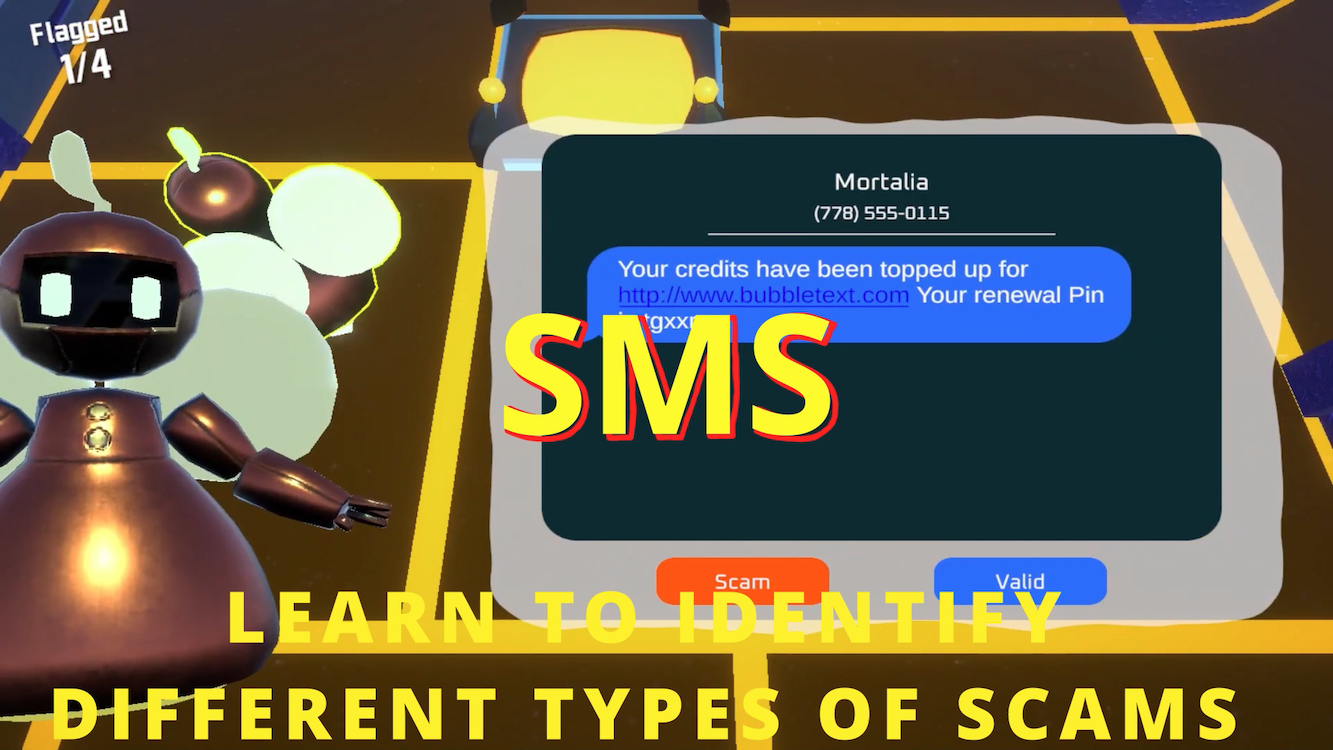
Also check out our CyberScanners game, which is designed to be a fun and engaging way for kids to test their knowledge of phishing scams! You play as a security bot in charge of filtering emails, texts, social media posts, and QR codes in order to keep their recipients safe from phishing scams. Check out our games on the app store or on our website here: https://kidsshield.ca/services/games
Be Educated. Be Connected. Be Safe.